Email phishing is a common cyber threat where criminals send fake or misleading messages to steal passwords, financial details, or access to business systems. These emails often look like they're coming from banks, suppliers, colleagues, or online services people use regularly. For businesses considering an antiphishing company in India, knowing how these attacks happen is an important part of choosing the right protection. Similarly, organisations looking for an antiphishing company in Thane should pay attention to employee awareness, email security, and incident response, rather than depending entirely on spam filters.
Phishing isn't limited to large companies. Businesses of any size can become targets. Sometimes, just one convincing email is enough to compromise an account, trigger an unauthorised payment, or expose sensitive information. Learning to recognise suspicious messages and double-checking unusual requests can help prevent these situations.
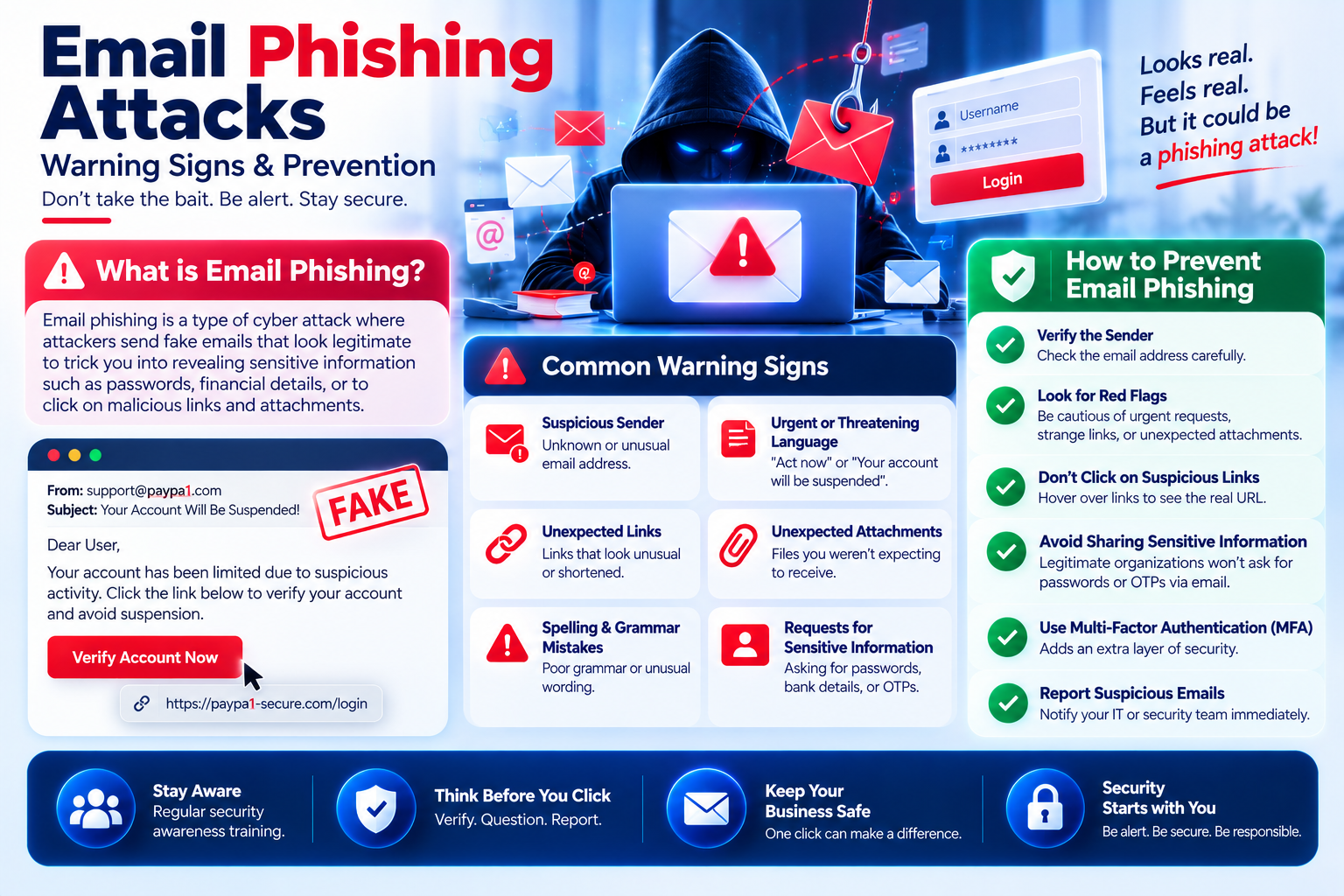
A phishing email is designed to trick someone into doing something that puts their information or systems at risk. It could ask them to open a fake login page, download an infected attachment, share an authentication code, or make a payment.
While some phishing emails are sent to thousands of people, others are carefully written for specific employees. This is known as spear phishing. Business email compromise is another form of attack where criminals impersonate trusted contacts or use compromised accounts to request payment changes.
An antiphishing company in India may help businesses identify these risks through email security assessments, simulated phishing exercises, and monitoring for unusual activity.
Be careful with emails saying your account will be blocked immediately or that an invoice must be paid within minutes. Scammers often create a sense of urgency because they don't want you to stop and question the request.
Always check the actual sender's email address, not just the name displayed in your inbox. An email that looks like it's from your bank may come from a completely different domain or contain a small spelling change. Even familiar addresses aren't always safe, as genuine accounts can be compromised.
Some phishing emails contain links to fake websites that closely resemble genuine login pages. Others include attachments carrying malicious files. Before clicking or downloading anything unexpected, check the destination and confirm the document's authenticity through a trusted source.
Treat unexpected requests for passwords, one-time verification codes, customer information, or changes to banking details with caution. Legitimate support teams shouldn't ask you to share your password through email.
Even an email from someone you know can be suspicious. Maybe the writing style feels different, the timing seems unusual, or there's a sudden request to change payment instructions. Small changes like these can be signs of impersonation.
A successful phishing attack can expose confidential documents, disrupt daily work, and lead to financial losses. Criminals may also use stolen email accounts to contact customers, approach employees, or send more convincing fraudulent messages.
An antiphishing company in Thane may help local businesses assess vulnerabilities in shared email accounts, finance departments, remote working environments, and cloud applications. These concerns aren't limited to one location or industry. Organisations across India face similar risks.
There's no single security tool that can stop every phishing attempt. Strong protection comes from combining reliable technology with practical security procedures and employees who know what to look for.
When evaluating an antiphishing company in India, it's worth understanding how the provider combines email filtering, employee training, threat detection, and incident response.
If you've clicked a suspicious link, don't panic, but don't continue using the page. Avoid entering passwords, downloading files, or providing personal information. Report the incident to your IT or security team as soon as possible.
If you've already entered your login details, change your password through the official website. Where possible, sign out of unfamiliar sessions. Tell your security team if you shared an authentication code or approved a login request you didn't recognise.
If you opened a potentially harmful attachment, follow your organisation's security procedures. This might include disconnecting your device from the network. Keep the original email available for investigation.
An antiphishing company in Thane can help organisations prepare for these situations. However, reporting suspicious activity quickly is still one of the most important steps in limiting damage.
Check the sender's full email address, look carefully at links, and be cautious with unexpected attachments or requests for sensitive information. If something seems unusual, confirm it through a trusted communication channel.
Yes. Some phishing emails are sophisticated enough to avoid automatic detection. Messages sent through compromised legitimate accounts may also appear trustworthy. Employee awareness and additional security controls help reduce these risks.
An antiphishing company in India should offer services such as email threat detection, security assessments, employee awareness training, incident response support, and reporting that helps businesses understand their security performance.
When comparing an antiphishing company in Thane, consider its experience, available security services, incident response capabilities, data protection practices, and approach to measuring improvements.
Not completely. Multifactor authentication reduces the chances of account compromise, but certain phishing techniques can still bypass weaker methods. Phishing-resistant authentication offers better protection.
It's still important to report the incident immediately. The security team can review account activity, investigate possible threats, secure affected systems, and check whether any customer or business information was exposed.


 Home
Home