A cybersecurity breach doesn't always start with a mastermind hacker bypassing your firewall. More often than not, an employee opens a convincing email, reuses a password, or sends confidential files to the wrong inbox. These everyday slip-ups can give attackers direct access to systems protected by top-tier technical defenses. For businesses looking into a simulation antiphishing company in India, understanding why people make security mistakes is just as vital as installing protective software. An anti phishing company in thane can help organizations gauge suspicious-email awareness, while a simulation anti phishing company in thane can run controlled exercises to show exactly where staff need extra support. The goal isn't to point fingers at employees. It's about cutting down opportunities for mistakes and making safe choices easier during hectic workdays.
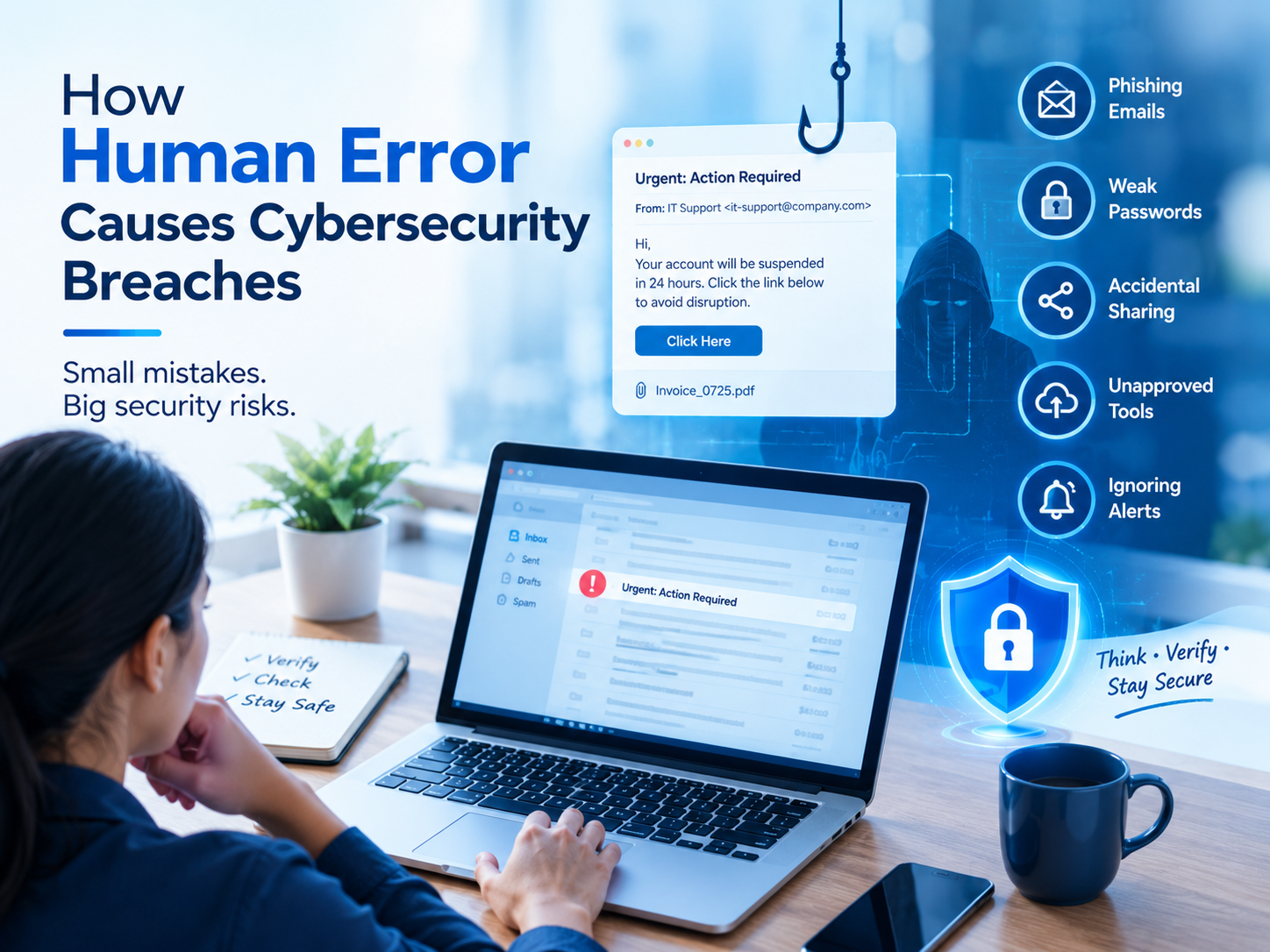
Human error comes down to any action—or missed step—that unintentionally bumps up your security risk. It might look like clicking a malicious link, glossing over an unusual login request, or accidentally sharing a private document. But don't assume every incident stems from pure carelessness. Attackers intentionally exploit tight deadlines, familiar branding, corporate authority, and confusing processes to trick people into making split-second decisions.
A phishing email designed like a routine vendor invoice can easily fool an experienced team member, especially during a chaotic afternoon. That's why solid security programs focus on both individual awareness and the daily environment where those decisions happen.
Phishing messages impersonate trusted colleagues or vendors to steal passwords, spread malware, or redirect bank transfers. Some emails manufacture panic by claiming an account will be shut down immediately. Others spoof a manager asking for a quick confidential file transfer. A single slip-up can expose sensitive data, though layered safeguards can still help limit the damage.
When staff reuse passwords across different platforms, a credential leaked on one site opens the front door to another. Weak passwords and shared accounts also make tracking accountability next to impossible. Password managers, unique credentials, and phishing-resistant multifactor authentication cut this risk dramatically.
A typo in an email address, a public link share, or a file sent without double-checking permissions can leak personal or corporate secrets instantly. Clear sharing controls, automated recipient pop-up warnings, and tight access restrictions help prevent these accidental leaks.
Putting off software patches leaves known security gaps wide open. Employees sometimes dismiss update alerts simply because they interrupt workflow or pop up too often. Organizations need sensible patch schedules and alert systems that call out genuine risk without spamming staff.
Employees often upload files to personal cloud accounts or untested AI tools to get work done faster. Unfortunately, this moves sensitive data right outside approved security controls. Offering practical, company-approved tools works much better than issuing flat-out bans on convenient software.
A great starting point is mapping out where high-stakes choices happen every day: finance approvals, customer support, hiring, and document sharing. Each workflow brings its own pressures and traps. Going over these touchpoints with employees usually uncovers easy fixes, like mandatory double-checks, clearer escalation paths, and cutting unnecessary access privileges across software.
Phishing simulations send harmless, authorized test emails that mirror real-world attacks. They give you a front-row view of how your teams handle suspicious requests and whether they report them quickly. A simulation antiphishing company in india can craft realistic scenarios around fake invoices, password resets, shipping updates, or internal HR notices.
Keep in mind that simulation results should guide coaching, not shame individuals. Looking at click rates alone doesn't tell the full story: tracking report rates, recurring patterns, and long-term habits offers a far clearer picture. A simulation anti phishing company in thane should also clarify how test data stays protected and how campaigns avoid disrupting daily operations.
Trimming down mistakes requires user-friendly software, practical training, and clear responsibilities working hand-in-hand. Key actions include:
For teams comparing an anti phishing company in thane, key questions should focus on scenario realism, report accuracy, privacy protections, and whether their training actually shifts employee habits over time. Defense gets much stronger when organizations track genuine progress and fix recurring weak spots instead of relying on a boring annual presentation.
Phishing responses, password reuse, and misdirected file sharing top the list. Exact numbers vary depending on the company and industry.
Yes, it can start an attack. However, solid authentication steps, endpoint security, and strict access controls can contain the damage before it spreads.
Most organizations run tests quarterly, adjusting how often they test based on risk levels, team size, and past training performance.
Well-designed simulations use safe test links, never log actual passwords, and keep individual results private. They're built to educate teams, not punish them.
Ask about their scenario design, employee privacy standards, tracking metrics, reporting tools, and follow-up training formats tailored to your staff.
No. Training cuts down on avoidable mistakes, but you still need strong technical safeguards, incident response workflows, and continuous system updates.


 Home
